Restore old photos with AI

For old photo restoration, scan or photograph the print, upload it and tap Restore old photo. The AI repairs scratches, creases, dust and stains, recovers faded contrast and sharpens soft detail, while keeping the people and the scene as they were. A second pass with Colorize adds natural colour to black-and-white photos if you want it.

Updated

Quick edits

This edit costs
11 credits
Sign up free: 11 credits

Your free credits cover one complete edit (11 credits). A cut-out costs 6 credits.

How it works

  1. 1

    Scan or photograph the print

    A flatbed scan is best. A phone photo works if it is straight, evenly lit and free of glare. Upload JPG, PNG or WebP up to 10 MB.

  2. 2

    Tap Restore old photo

    Optionally add what to keep, such as "leave it black and white". Nano Banana Pro is the strongest choice for detailed repairs.

  3. 3

    Compare, then colorize if you like

    Drag the slider to check faces and edges against the original. To add colour, keep editing the result with Colorize.

Good for

  • Family prints with scratches, creases and torn corners
  • Faded and yellowed photos from albums and frames
  • Black-and-white photos you would like to see in colour
  • Archive scans for a family history or a memorial
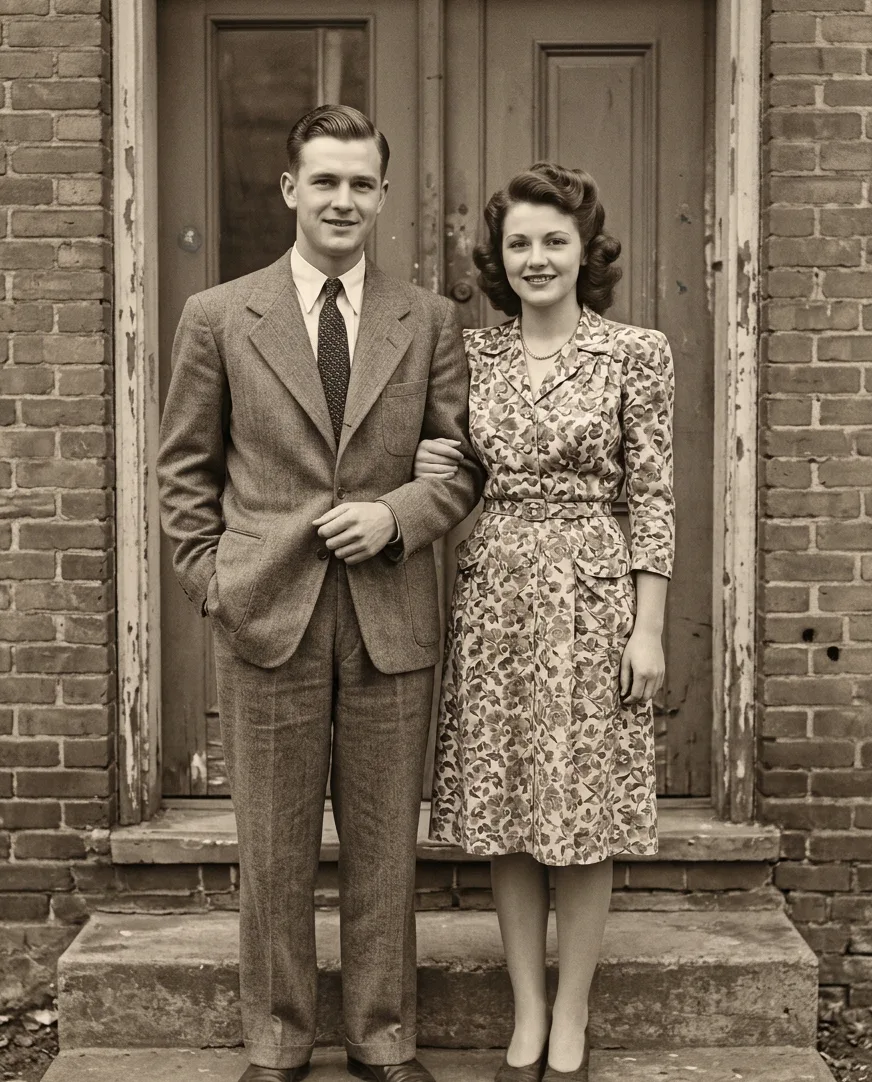
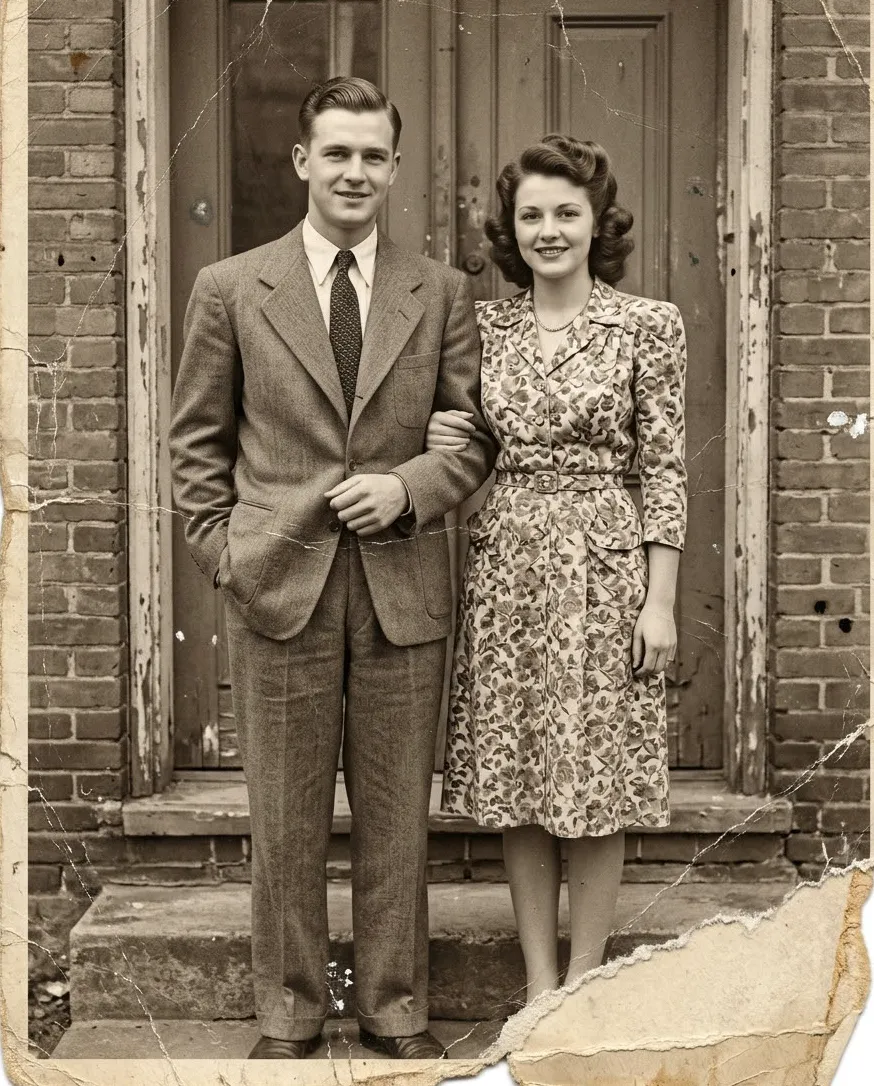
A damaged 1940s sepia portrait of a couple, restored: AfterA damaged 1940s sepia portrait of a couple, restored: BeforeBeforeAfter

Restore old photo

Instruction: Restore this old photograph: repair scratches, tears, dust, stains and fading, recover lost contrast and gently sharpen detail. Keep every face, expression, pose and the original composition faithful; do not invent new details. Keep every person, face, body, pose, object and the composition exactly as they are unless this instruction changes them. Add no text, borders or watermarks.

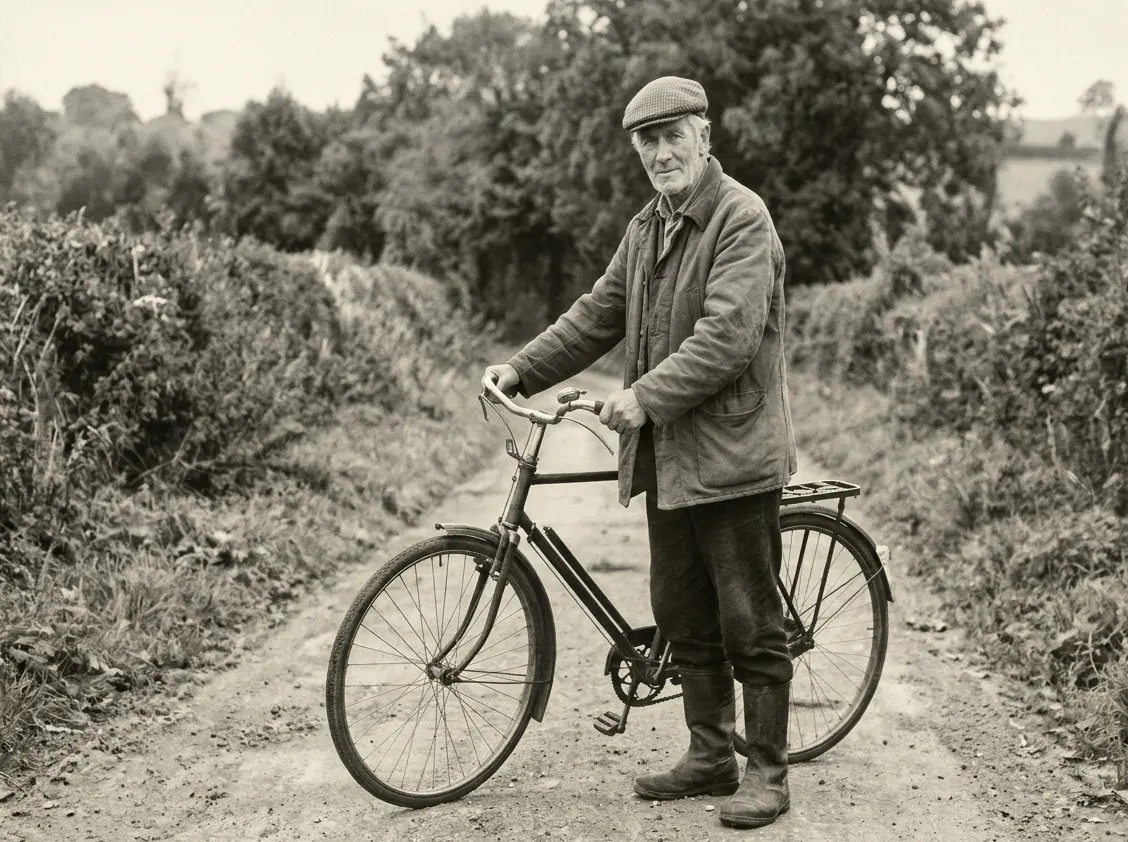
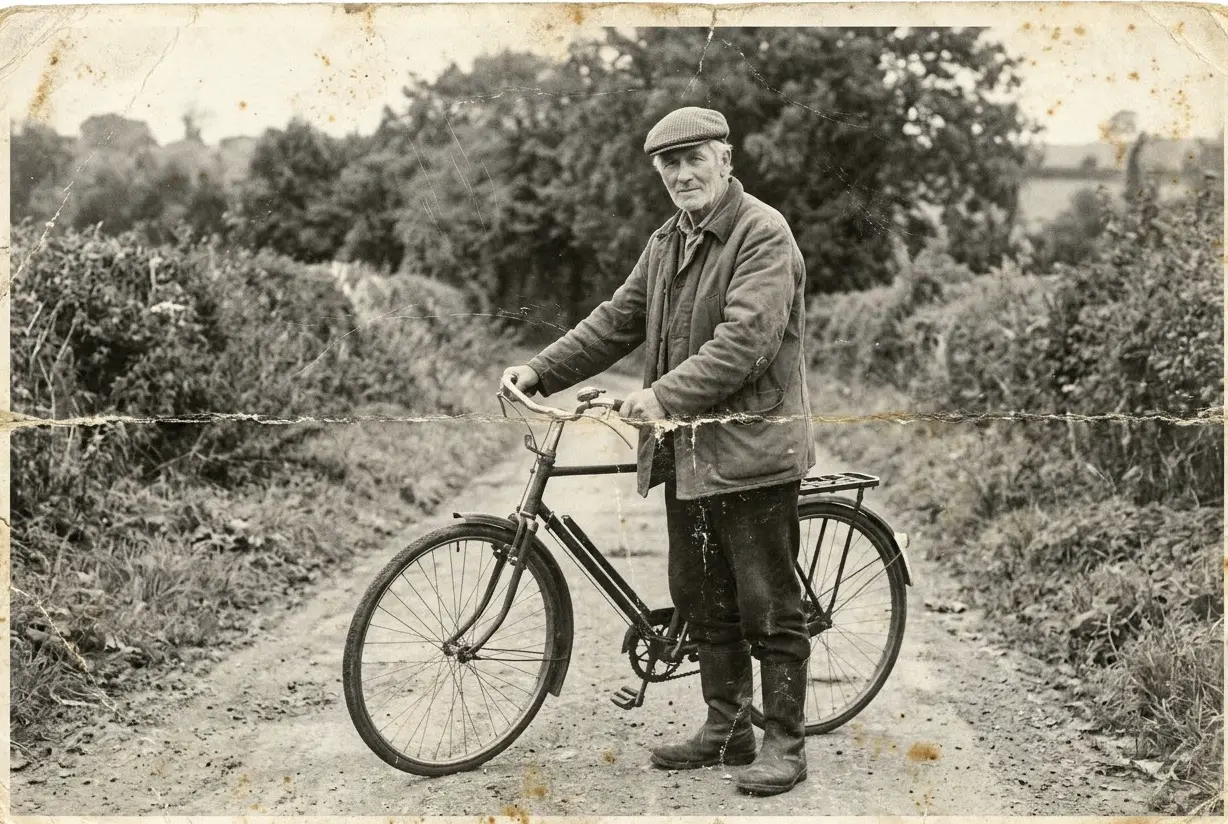
A creased 1950s photo of a man with a bicycle, restored: AfterA creased 1950s photo of a man with a bicycle, restored: BeforeBeforeAfter

Restore old photo

Instruction: Restore this old photograph: repair scratches, tears, dust, stains and fading, recover lost contrast and gently sharpen detail. Keep every face, expression, pose and the original composition faithful; do not invent new details. Keep every person, face, body, pose, object and the composition exactly as they are unless this instruction changes them. Add no text, borders or watermarks.

01

What AI restoration fixes, and what it invents

Damage that sits on top of the picture, such as scratches, dust, creases, stains and fading, is repaired well, because the model can see what is underneath. Missing pieces, such as a torn-off corner or a face lost in a stain, have to be invented. The result can look convincing and still be wrong, so for a family record keep the original scan alongside the restored one.

02

Faces need the closest look

Restoration models sharpen faces, and on very blurry originals they may sharpen them into someone who looks slightly different. Compare eyes, mouth and hairline with the slider. If a face drifts, run it again with "keep the faces exactly as they are, only remove the damage".

03

Adding colour

Colorize picks believable colours from what it sees: skin, sky, foliage and fabric. It cannot know that a dress was blue or a car was green; tell it in the detail box if you know. Colour is a guess, so label colorized copies as such when you share them.

Credits per edit

The editor shows the exact cost before you run anything. Plans and credit packs

ModelGood for1K2K4K
Nano Banana 2.1Everyday edits: fast, low cost, good at clean-ups111624
Nano Banana ProBusy scenes and restorations, 4K only——63
GPT Image 2Strong colour changes and a second opinion on hard edits162742
Recraft Remove BackgroundCut-outs only; keeps the original pixels6——

Questions

Will the people still look like themselves?

Usually, yes, when the original face is visible. On very blurry or damaged faces the model has to guess, and small changes are possible. Compare carefully with the slider.

Can it colorize black-and-white photos?

Yes. After restoring, keep editing the result with Colorize, or colorize a photo that is already in good shape. Add colour hints if you know them.

Which model is best for restoration?

Nano Banana Pro gives the most detailed repairs and renders at 4K. Nano Banana 2.1 is cheaper and fine for light damage.

Is my family photo kept private?

Yes. Uploads and results are only visible in your own account, and the photo is sent only to the AI service that runs the edit. Details are in the Privacy Policy.

Can I restore photos of people I do not know?

Only photos you have the right to edit. Archive photos of strangers may still be under someone else's copyright.